Update GetConnectors in AFAS
Written By Tess Hoogeboom
Last updated 2 months ago
Version 5.0 – August 29, 2024
GetConnector Trifact_VatReclaimPerVatCode has been added to support different VAT recovery rates.
See below for the steps you need to follow to update the GetConnectors in AFAS.
Step 1
Download here the latest version of the GetConnectors.
Where can I download the GetConnectors?
Go to Options (Cogwheel) → Links
Click New
Select AFAS as the accounting package
Step 2
In AFAS, go to General → Output → Management → GetConnector.
Step 3
Import the updated GetConnectors here.
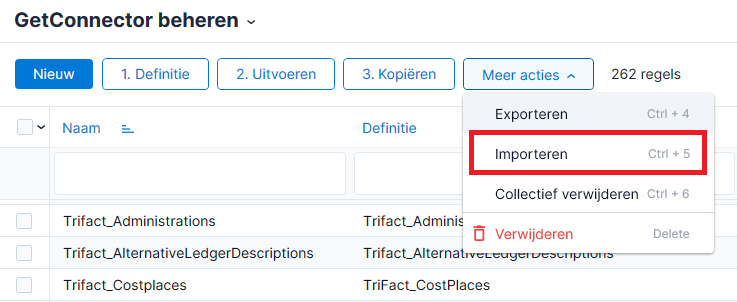
Step 4
Next, verify that the GetConnectors have been added to the App Connector. To do this, go to General → Management → App Connector.
Was this helpful?
Still need help? Ask the team