Viewing PDF files in Visma eAccounting
How to view the PDF that TriFact365 sends with the entry in Visma eAccounting.
Written By Tess Hoogeboom
Last updated 8 days ago
When TriFact365 posts an entry to Visma eAccounting, it automatically sends the corresponding PDF along. This is how you view that PDF in Visma eAccounting.
Purchase invoices
Go to Visma eAccounting and log in.
Go to Inkoop → Inkoopfacturen.
Click the Paperclip next to the invoice to open the PDF.
Sales invoices
Go to Visma eAccounting and log in.
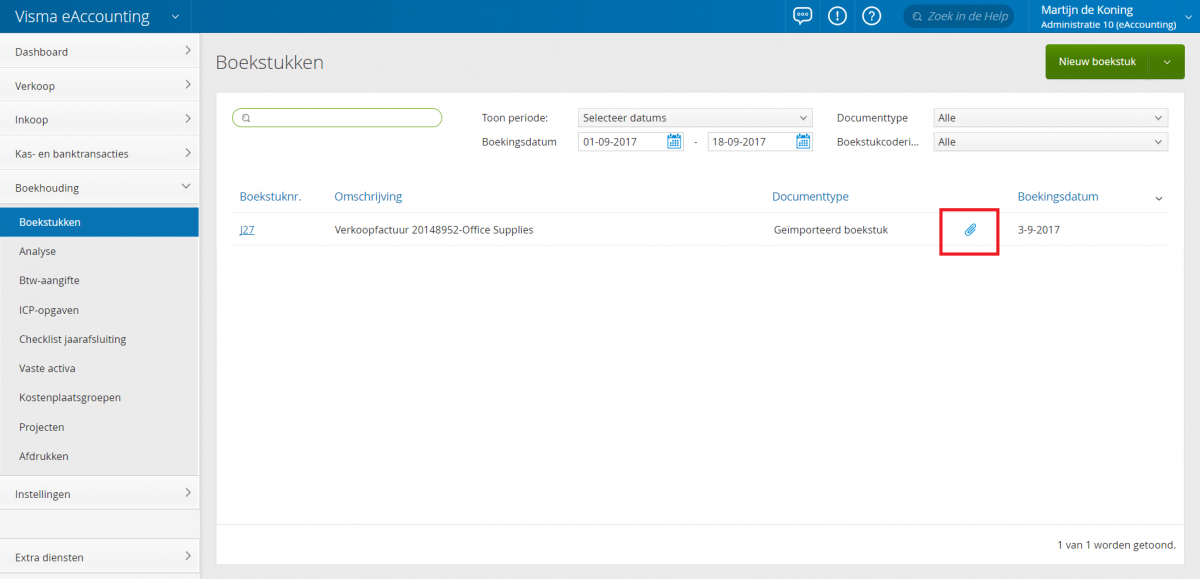
Go to Boekhouding → Boekhoudstukken.
Under Documenttype, select Geïmporteerd boekstuk.
Click the Paperclip next to the invoice to open the PDF.
Was this helpful?
Still need help? Ask the team