(Un)blocking invoices for payment (AFAS)
Written By Tess Hoogeboom
Last updated 2 months ago
When using the Entry before Confirmation feature in TriFact365, invoices are posted to AFAS as blocked for payment. These invoices are automatically unblocked once the confirmation process has been completed. Read below to learn how this works.
Before you start
Make sure that the FiInvoice Update Connector has been added to the list of Update Connectors in the App Connector configuration (see image below).

Make sure there are no invoices with the status Confirmation. If there are and you enable Entry before Confirmation, these invoices will NOT be posted to the accounting package.
Go to Settings (Cogwheel) → Administrations, select Entry before Confirmation for the relevant administration, and click Save.
All invoices that are processed from this point onward will be posted to AFAS immediately. These invoices will be marked as blocked for payment. (See below.)
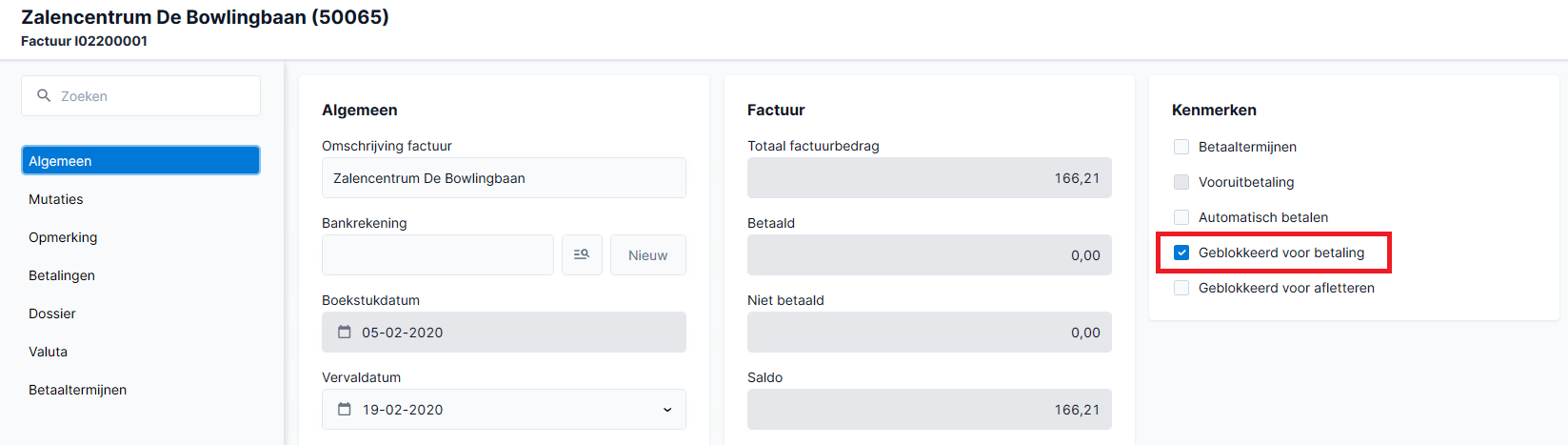
As soon as the approval workflow for the invoice has been completed in TriFact365, the invoice will be unblocked and become available for payment. (See below.)

Related articles
Was this helpful?
Still need help? Ask the team