Viewing the PDF in AccountView
How to make sure the PDF of an entry is visible in AccountView, with a connection via the COM module.
Written By Tess Hoogeboom
Last updated 8 days ago
Along with a link in Notities, TriFact365 can send the PDF with an entry to AccountView. Here’s how to check that the PDF is visible in AccountView.
These settings only apply to a connection via the COM module.
VIS module in AccountView
TriFact365 only sends the PDF if the VIS (Sales Information System) module is enabled in AccountView. Is the VIS module not enabled (implemented) correctly? Then the PDF may not be visible in AccountView.
Checking the VIS module
Find the folder where the files are stored. This folder was set during the installation of the TriFact365 service.
Check that there are files in this folder. If there are, the PDFs from TriFact365 are arriving.
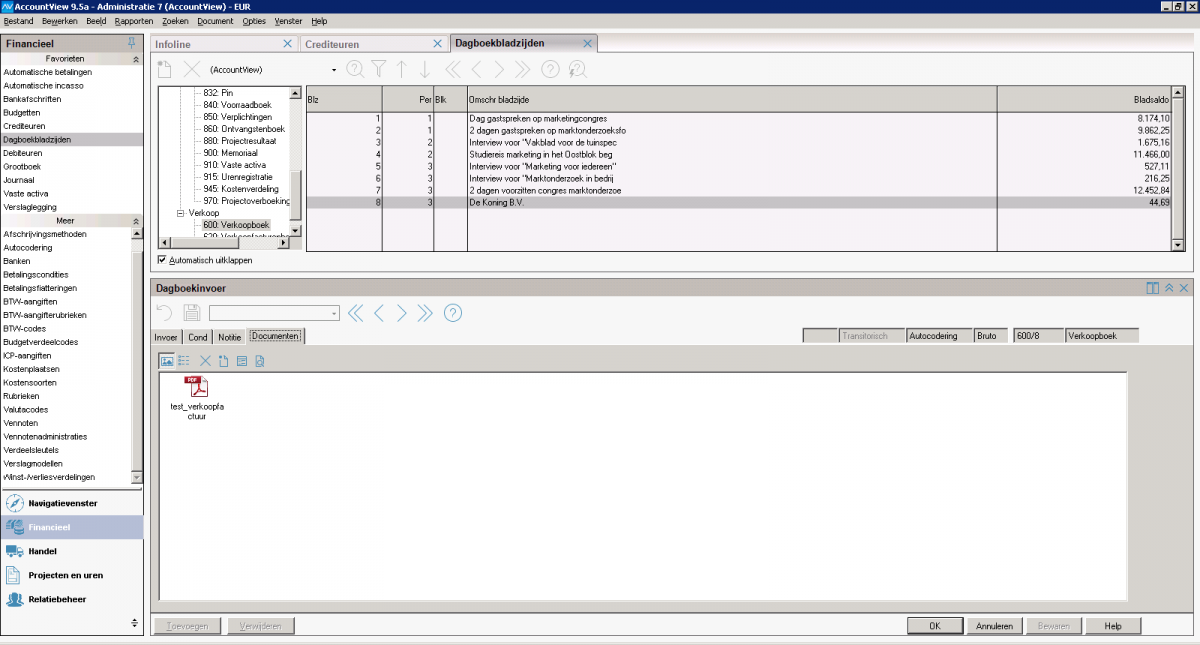
Check that these files are visible in the document screen in AccountView. If the VIS module works correctly, the Documenten field shows a PDF icon.
Was this helpful?
Still need help? Ask the team