Update GetConnectors in AFAS Profit
How to update the GetConnectors in AFAS Profit with the latest version from TriFact365.
Written By Tess Hoogeboom
Last updated 8 days ago
Follow these steps to put the latest GetConnectors from TriFact365 into AFAS Profit.
In TriFact365, go to Settings (cogwheel) → Connections.
Click New.
Select AFAS Profit.
In the New connection window, click GetConnectors to download the GetConnectors.
In AFAS Profit, go to General → Output → Management → GetConnector.
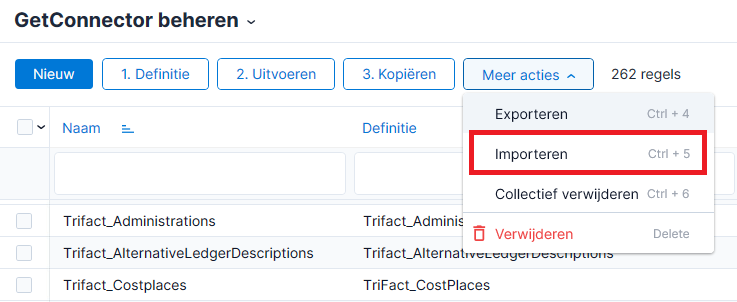
Import the GetConnectors via More actions → Import.
Go to General → Management → App Connector.
Check that the GetConnectors are still added to the App Connector.
Was this helpful?
Still need help? Ask the team