Link with Twinfield
Written By Tess Hoogeboom
Last updated 27 days ago
Link with Twinfild
In TriFact365, go to Settings (gear icon) in the top-right corner and click Links. Then click New.
Select Twinfield as the accounting package you want to link to.
Enter a description for the link so that you can easily recognise it later.
Click Finish. You will then be redirected to the Twinfield login page, where you can enter your Twinfield login credentials.
The link has now been set up. You will be redirected back to TriFact365, where you can immediately add the linked administration.
User permissions in Twinfield
Settings
Without the correct settings, the functionality available in TriFact365 will be limited. For example, you may not be able to edit suppliers, and dropdown menus for general ledger accounts, cost centres, and project codes may not work properly.
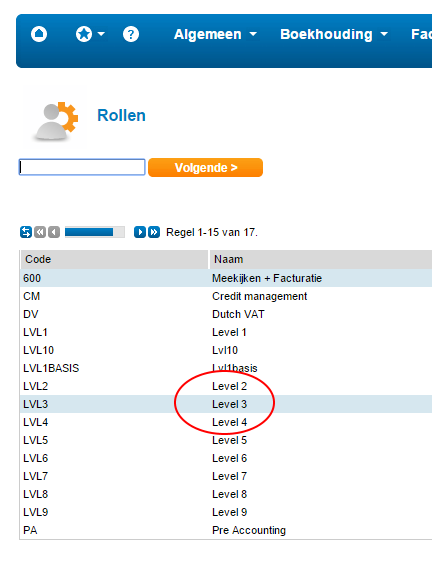
Make sure that the Twinfield user who sets up the link has at least level 3 permissions.
Was this helpful?
Still need help? Ask the team