Assigning users to administrations
Written By Tess Hoogeboom
Last updated 4 months ago
Within TriFact365, there are 2 options for assigning a User to an administration.
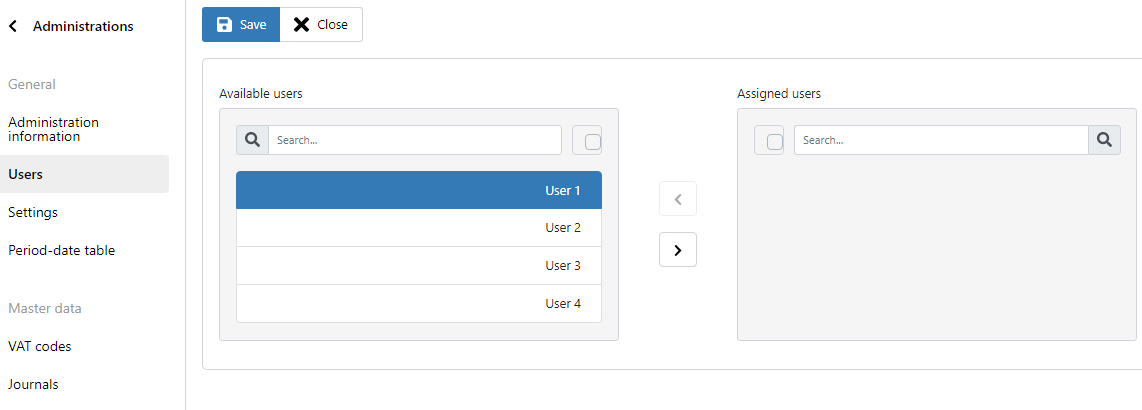
Option 1 - Via the administration settings
Go to Settings (Cogwheel) → and double-click the administration.
Go to the Users tab.
Then select one or more Users under Available Users and move them to Assigned Users by clicking on the Arrow (>).
Option 2 - Via Users
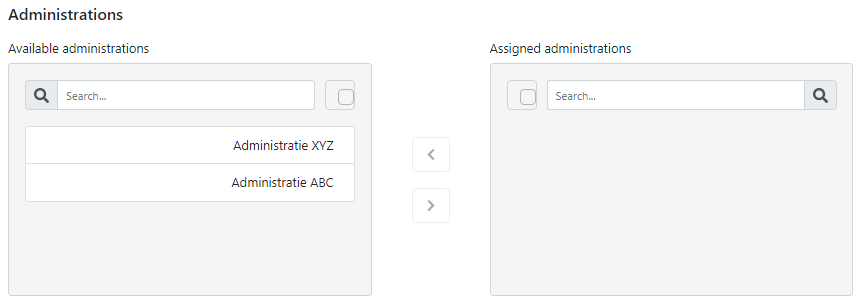
Go to Settings (cogwheel) → Users and right-click → Edit on the relevant user.
Then select one or more administrations under Available administrations and move them to Assigned administrations by clicking the arrow (>).
Was this helpful?
Still need help? Ask the team