Processing credit invoices
Written By Tess Hoogeboom
Last updated 4 months ago
When you post credit invoices via TriFact365, how they are processed depends on your accounting software. See below to find out which option works for which accounting software.
Note!
Use only one of the options below.
Option 1:
You can check the “Credit Invoice” option in the Check screen.
This feature works for: AccountView, AFAS, Exact Online, iMUIS Online / King Finance, Twinfield, Visma eAccounting

Option 2:
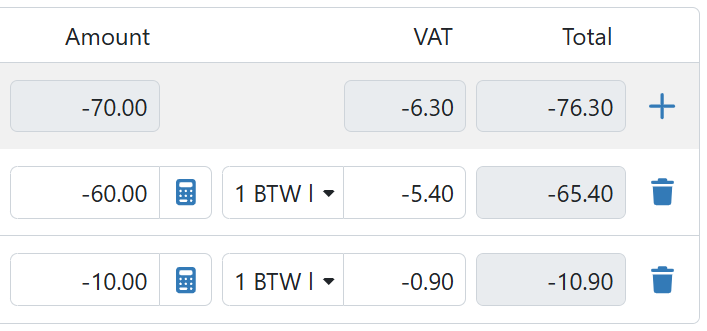
Place a minus sign in front of the amounts on the entry line(s).
This feature works for: King Business Software, SnelStart, Multivers / Boekhoud Gemak
Was this helpful?
Still need help? Ask the team