Environment settings
Written By Tess Hoogeboom
Last updated 2 months ago
Preview
This functionality is currently available as a preview feature. Have you not yet enabled preview features for your user? In the portal, go to Personal settings and set ‘Preview features’ to YES.
Via Settings → Environment, Administrators can define which types of documents can be uploaded in TriFact365.
Double-click on a row to set a document type to Allowed or Not Allowed, or click on the dropdown.
Click on the ellipsis (•••) to set an entire category to Allowed or Not Allowed.
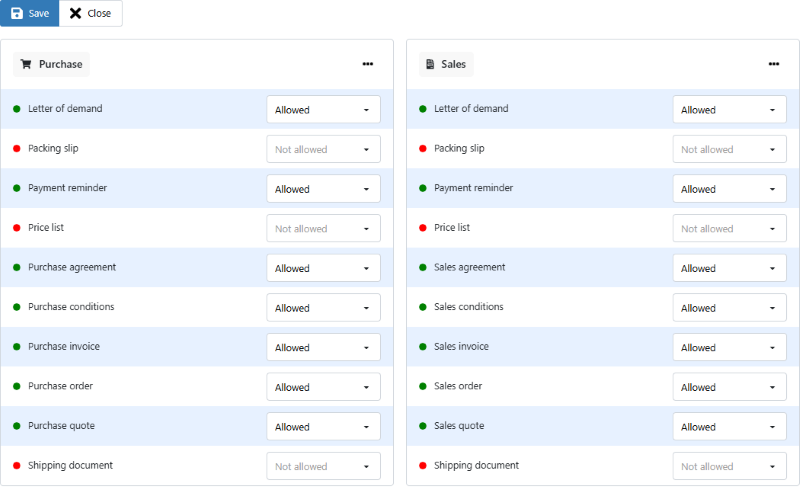
Administration settings
Additionally, it is possible to set different values at the administration level.
Here you can find the list of documents: Document types
Upload
Users who have the right ‘Upload’ and have the Preview features enabled can upload the allowed documents. The new document types can only be uploaded in the portal, not via the e-mail or mobile app.
Uploaded documents can be accessed in the Received Documents screen in TriFact365. Only purchase and sales invoices become available in the Backlog for processing to the accounting software.
Was this helpful?
Still need help? Ask the team