Add a company
Once you have set up a connection with an accounting package, you can add one or more companies.
Written By Tess Hoogeboom
Last updated About 2 hours ago
Have you connected your accounting package? Then you can add a company from it to TriFact365. Each company gets its own unique email address.
Click New.
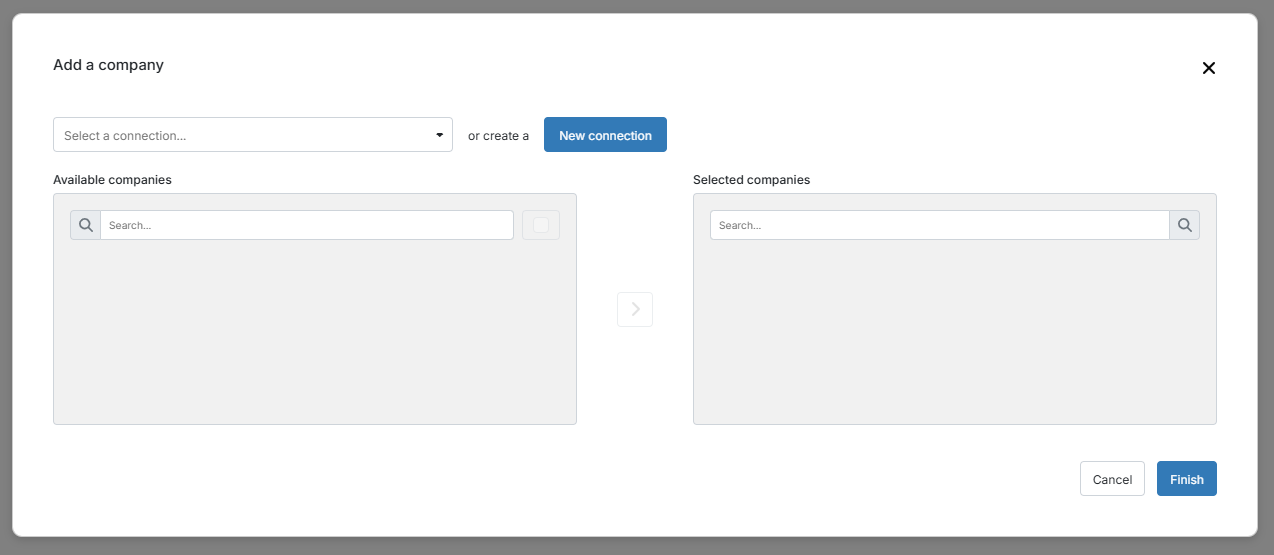
Select the connection.
Select the companies under Available companies.
Click
>to add the selected companies to TriFact365.Click Finish when you are done adding companies.
TriFact365 saves the details automatically. In Companies, you now see the added company with its own email address.
Add multiple companies
AFAS Profit
AFAS Profit
Do you want to add companies from multiple AFAS Profit environments? Set up a separate connection for each environment, because the GetConnectors are configured at environment level. Read more in Connect with AFAS Profit.
SnelStart, Visma eAccounting, iMUIS Online / King Finance
SnelStart, Visma eAccounting, iMUIS Online / King Finance
Set up a separate connection for each company. In SnelStart, generate the connection key in the correct company. Read more in:
Was this helpful?
Still need help? Ask the team