Period-date table
Written By Tess Hoogeboom
Last updated 4 months ago
Normally TriFact365 uses a period setting of 12 periods (months). Do you have a different period format in your accounting record? Then TriFact365 automatically adapts to your own settings. In the Check screen you see that the period adapts to the invoice date that you enter.
You can consult the period-date table in TriFact365 at the administration settings. To do this,
Go to Settings (Cogwheel) → Administrations → Three dots → Edit
Click on the tab Period-date table.
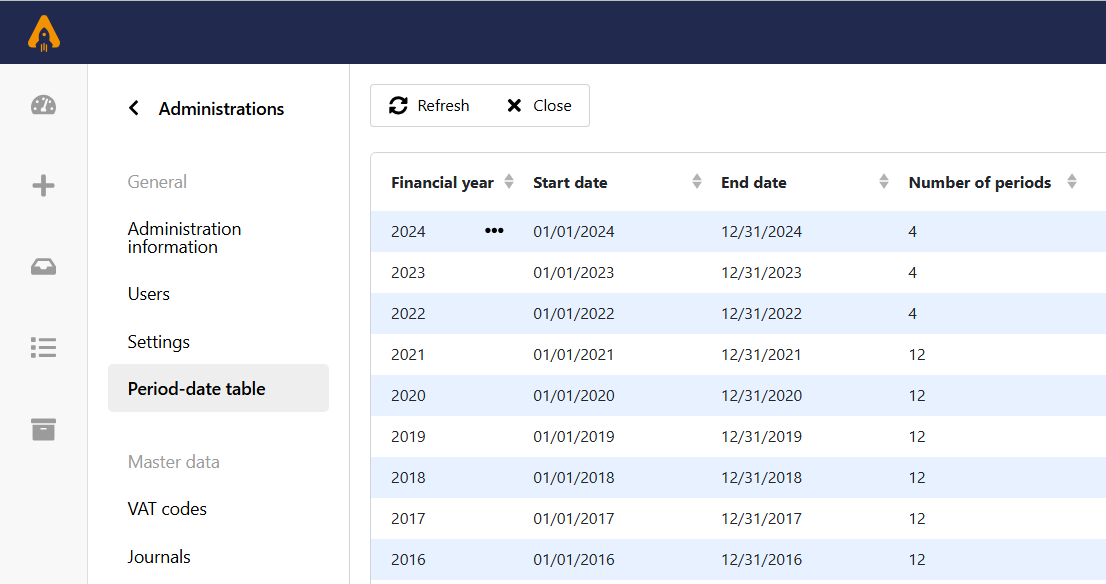
Here, you can see exactly which fiscal years and period settings have been imported from your administration. You can double-click the fiscal year or click View from the menu (•••) to see the detailed period breakdown for that specific fiscal year.
Note!
The period-date table is available for AccountView, AFAS, Exact Online, iMUIS Online / King Finance, Twinfield and Unit4 Multivers / Boekhoud Gemak
Note!
Are you using AFAS? If so, you must have at least version 3.0 of the GetConnectors installed.
Was this helpful?
Still need help? Ask the team