Email reminders
How to set up email reminders for authorisers and approvers when documents are waiting for them.
Written By Tess Hoogeboom
Last updated About 11 hours ago
Do you use authorisation or approval? Then you can set up automatic email reminders. Authorisers and approvers then receive an email when documents are waiting for them.
Set up email reminders
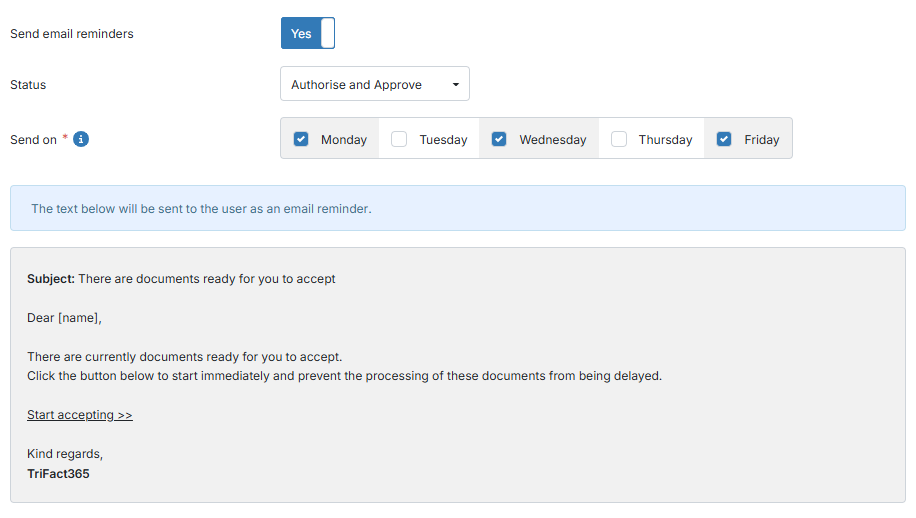
Set Send email reminders to Yes. More fields appear.
Under Status, choose whether reminders are sent for documents awaiting authorisation, approval or both.
Under Send on, choose the working days on which reminders are sent.
Click Save.
Turn on email reminders for companies
Then choose the companies for which reminders are sent.
Select Email reminder for each company that should send reminders.
Click Save.
From then on, authorisers and approvers receive a reminder on the chosen days when documents are waiting for them.
Was this helpful?
Still need help? Ask the team