Company settings (overview)
Overview of all settings per company, with links to the article for each setting.
Written By Tess Hoogeboom
Last updated About 5 hours ago
For each company, you can set up settings that make processing invoices faster and easier. This article shows where to find them, with a link to the article for each setting.
Company overview
Go to Settings (cogwheel) → Companies. You see all companies in your TriFact365 environment.
Mailbox: the company’s email address for delivering documents. Copy the address with the copy icon on the right of the column.
Connection: the description of the connection with the accounting package.
Authorisation, Approval, Post before approval and Email reminder: use these checkboxes to turn on the function for the company.
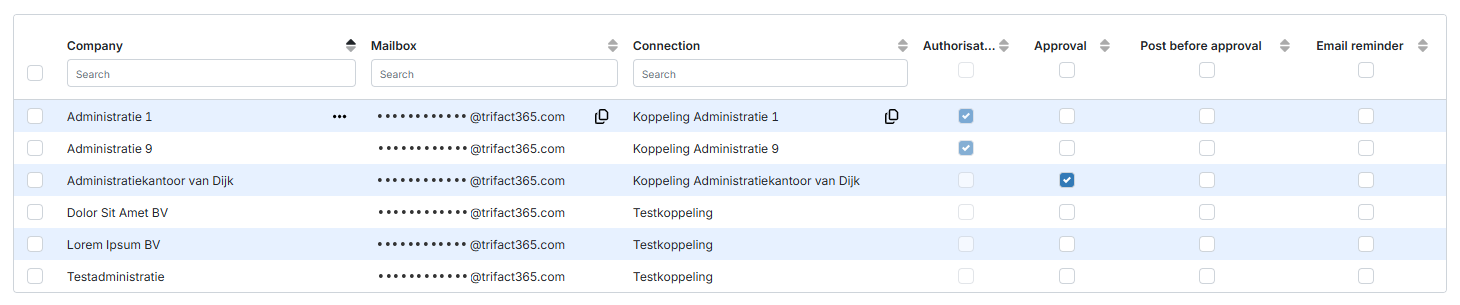
Click ••• → Edit or double-click the row of the company to view and change the other settings. Which tabs and settings you see depends on your accounting package.
Company information
This tab shows the basic details of the company, such as the description and the code. For some accounting packages, you also see the VAT number, the company number and the IBAN. Here you can:
Users
On this tab, you manage which users have access to this company. Read more in Assigning users to companies.
Entry settings
This tab contains the following settings.
Upload settings
Entry settings
Viewing the PDF in AFAS Profit (file numbers for purchase and sales invoices)
Approval settings
Document types
You only see this tab if the preview features are enabled.
On this tab, you set which document types may be uploaded in this company. By default, the environment settings apply. Want something different for this company? Then change it here. Read more in Document types.
Master data
Under Master data, you view the data from your accounting package on these tabs:
VAT codes
Journals (or Balance accounts)
Period-date table: read more in Period-date table
Related articles
Was this helpful?
Still need help? Ask the team