Set default payment reference
Written By Tess Hoogeboom
Last updated 4 months ago
Please note
This setting is only available for AccountView, AFAS Profit, Multivers / Boekhoud Gemak, Exact Online, and Twinfield
In the Check screen, some accounting packages allow you to include a payment reference with the posting. You can set a default payment reference at both the administration and client levels. Read below to learn how to set this up.
Administration settings
Go to Settings (cogwheel) > Administrations and double-click on the administration.
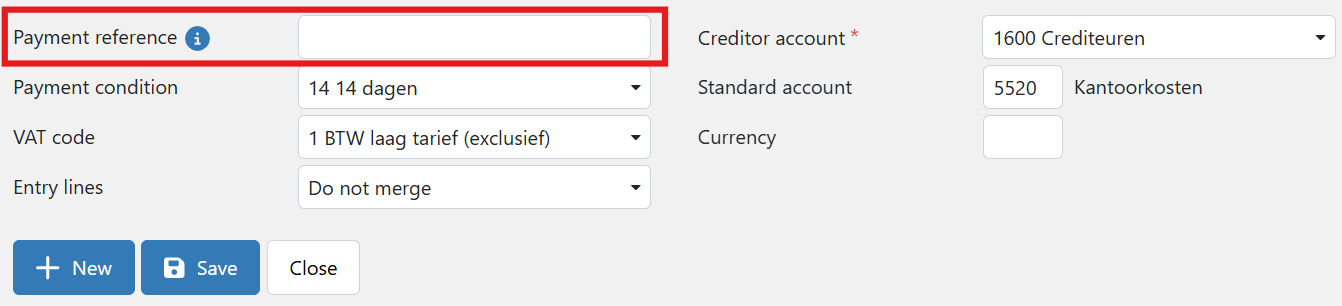
On the Settings tab, under Entry Settings, you’ll find two fields for setting a payment reference.

The selectable labels correspond to the fields displayed in the Check screen. When you send the booking to Confirmation or the accounting software, these labels are converted to the values entered in the corresponding fields.
Check Screen
Via the master data of the relation, it is also possible to set a default payment reference. Here you can also fill in the corresponding labels.
The set payment reference is then entered on the transaction. Of course, it is also possible to manually add a payment reference by copying it from the document or typing it in yourself.
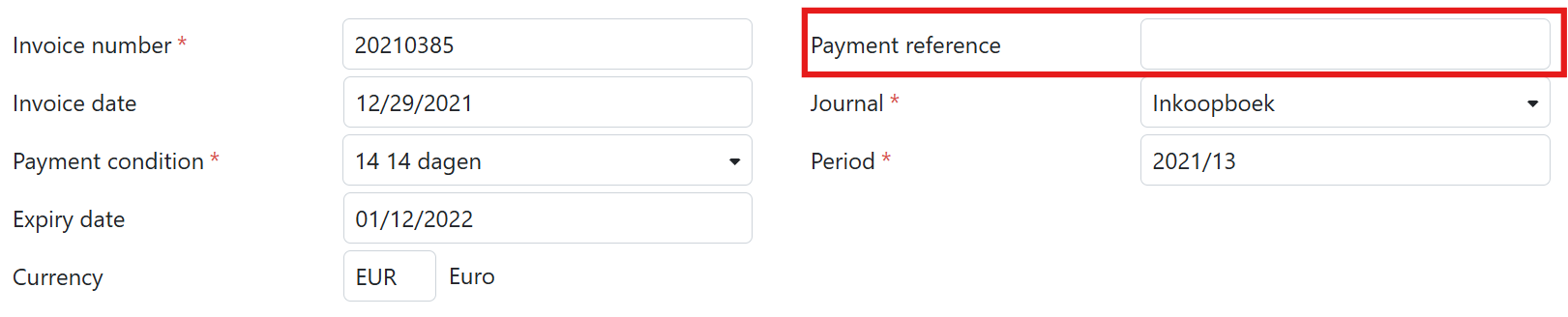
Have you set up a payment reference at both the administrative and relation levels? In that case, the relation’s payment reference is copied to the entry.
Payment reference in accounting software
It depends on your accounting software where you can find the payment reference.
AccountView
AccountView
In AccountView, the payment reference can be found in the Payment Reference field. You should still check in AccountView to ensure the correct values have been entered in the journal.
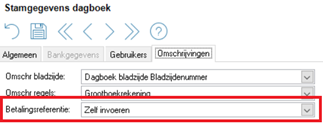
In AccountView, go to Document > Administration Master Data > Journals and select the relevant journal.
Select the option Self enter/Manually at Payment reference.
After this, TriFact365 can send the payment reference to AccountView.
AFAS
AFAS
In AFAS, the payment reference can be found in the Payment Reference field.
Check out this support page of AFAS for more information on payments in combination with the payment reference.
Multivers / Boekhoud Gemak
Multivers / Boekhoud Gemak
In Boekhoud Gemak, the payment reference is placed in the Reference creditor field.
Exact Online
Exact Online
In Exact Online, the payment reference can be found in the Payment Reference field in the invoice details section. If this field is not displayed, you can enable it using the Edit button in the top-right corner of the screen
Twinfield
Twinfield
In Twinfield, the payment reference is placed in the Free Text Field 2. To use this, the following settings must be configured:
In Twinfield, go to Settings > Company settings > Transaction types > Purchase Invoice or Sales Invoice
Set Free Text Field 2 to Allowed, Header.
If you also want to use this payment reference for payments, make sure the following settings are configured:
In Twinfield, go to Cash & Banks > Formats > Select payment file.
Fill in Free text field 2.
Was this helpful?
Still need help? Ask the team