Invoice Overview
Written By Tess Hoogeboom
Last updated 2 months ago
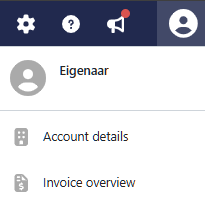
The Owner can access the Account Details via the User icon in the blue menu bar. Here, subscription details can be viewed, company information can be updated, signed agreements can be reviewed, and invoices received for the subscription can be viewed.
Invoice Overview
On the Invoice Overview tab, you can view all invoices you have received from TriFact365. Here, you can see whether an invoice has been paid and, if required, download the corresponding PDF.
Frequently Asked Questions
Will the TriFact365 invoice automatically appear in the portal?
Will the TriFact365 invoice automatically appear in the portal?
No, it will not automatically appear in the portal (or Backlog). The invoice you receive from TriFact365 is sent by email to the specified invoice email address.
How can I make sure that the TriFact365 invoice is automatically uploaded to the portal?
How can I make sure that the TriFact365 invoice is automatically uploaded to the portal?
You can set this up in one of the following ways.
Option 1
Log in as the Owner of the TriFact365 environment and go to the User icon (top right) → Account Details. Under the Company Details tab, enter your administration's TriFact365 email address in the Invoice email address field and save the changes.
Option 2
Set up automatic forwarding of invoice emails through your own invoice email address. You may already have this configured for incoming supplier invoices.
Was this helpful?
Still need help? Ask the team