Invoice overview
View the invoices you have received from TriFact365, see whether they have been paid and download the PDF.
Written By Tess Hoogeboom
Last updated 10 days ago
As the Owner, you see the invoices you have received from TriFact365, and whether they have been paid.
Only the Owner can view the invoice overview.
Go to User icon → Invoice overview.
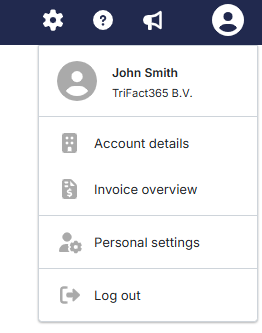
Click the invoice number to download the PDF.
Frequently asked questions
Does the TriFact365 invoice appear in the portal automatically?
Does the TriFact365 invoice appear in the portal automatically?
No. We send the invoice by email to the address in Email address invoices. It does not appear in the Work queue by itself.
How do I make the TriFact365 invoice appear in the portal automatically?
How do I make the TriFact365 invoice appear in the portal automatically?
You can do this in two ways:
Enter the email address of your company in TriFact365 in Email address invoices. Read how in Company details. You then no longer receive the invoice in your own mailbox.
Forward emails with invoices automatically from your own mailbox. You may already do this for supplier invoices. Read how in Set up automatic email forwarding.
Related articles
Was this helpful?
Still need help? Ask the team