Accrual entry
Written By Tess Hoogeboom
Last updated 4 months ago
Please note!
This feature requires additional settings in TriFact365 and/or your accounting software.
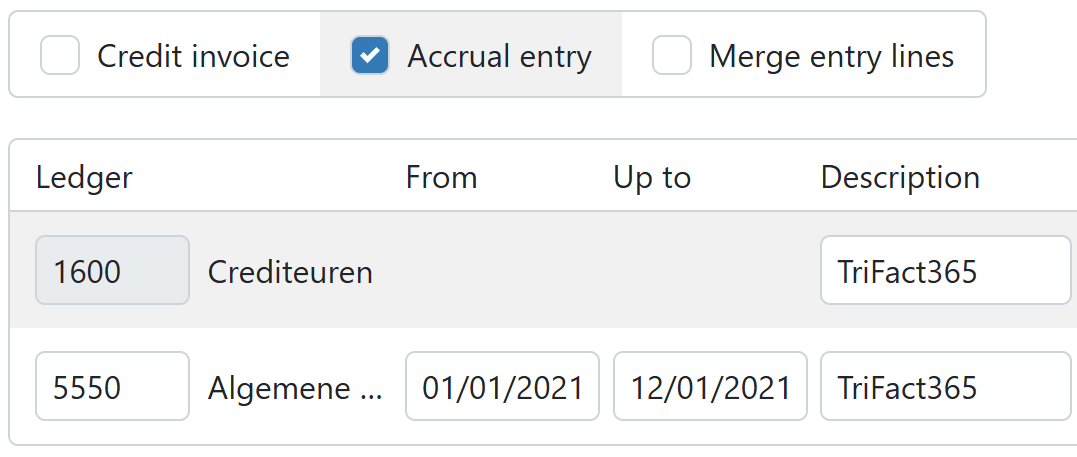
In the posting screen, you have the option to spread costs and revenues over multiple periods.
Check the "Accrual entry" option to activate this setting.
Enter the start and end dates of the relevant periods in the From and Up to fields so that the accounting software can spread the amounts over the desired periods.
Additional settings per accounting software
AccountView
AccountView
In AccountView, go to Opties → Instellingen → Administratie → Financieel I.
Make sure a ledger is selected for Transitoria debet and Transitoria credit.
Do you want to spread amounts across multiple financial years? These years must already be created in AccountView. (This differs from the functionality in AccountView!)
Once the above settings are complete, you can spread costs and revenues across multiple periods in TriFact365.
AFAS
AFAS
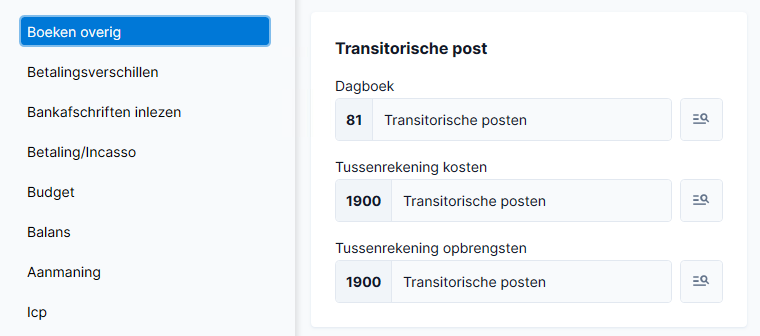
In AFAS go to Financieel > Beheer > Instellingen administratie.
Select the tab Boeken overig.
Select a Dagboek and Tussenrekening at Transitorische post.
Exact Online
Exact Online
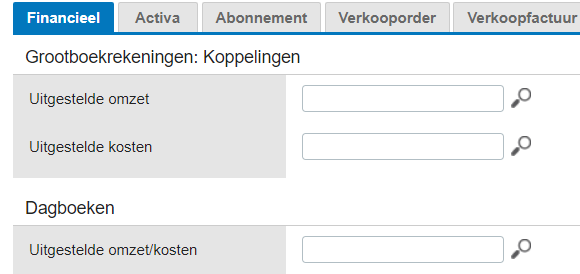
In Exact Online go to the settings of the administration. Click on the tab Financieel and add a ledger to Uitgestelde omzet and Uitgestelde kosten.
Connect a Memorial journal to the postponed costs/revenues. It’s advised to create new journals for this setting.
iMuis Online / King Finance
iMuis Online / King Finance
In TriFact365, go to Settings (Cogwheel) → Administrations and double-click on the administration.
Go to the Settings tab.
In the Accruals block, select a Journal and Ledger Account to be used for accrual entries.
When creating an entry, the ledger account used in the accounting software must be marked as an Accrual account.
Twinfield
Twinfield
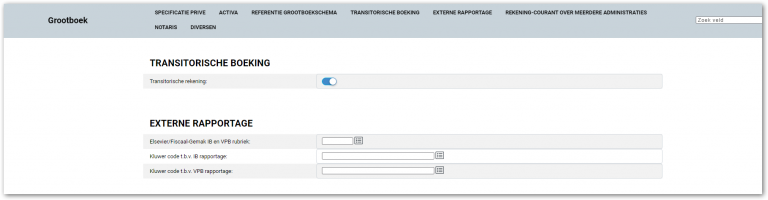
In TriFact365, go to Settings (Cogwheel) → Administrations and double-click on the administration.
Go to the Settings tab.
In the Accruals section, select a Ledger account to be used for accrual entries.
Once the above settings are complete, you can spread entries across multiple periods in TriFact365.
Was this helpful?
Still need help? Ask the team